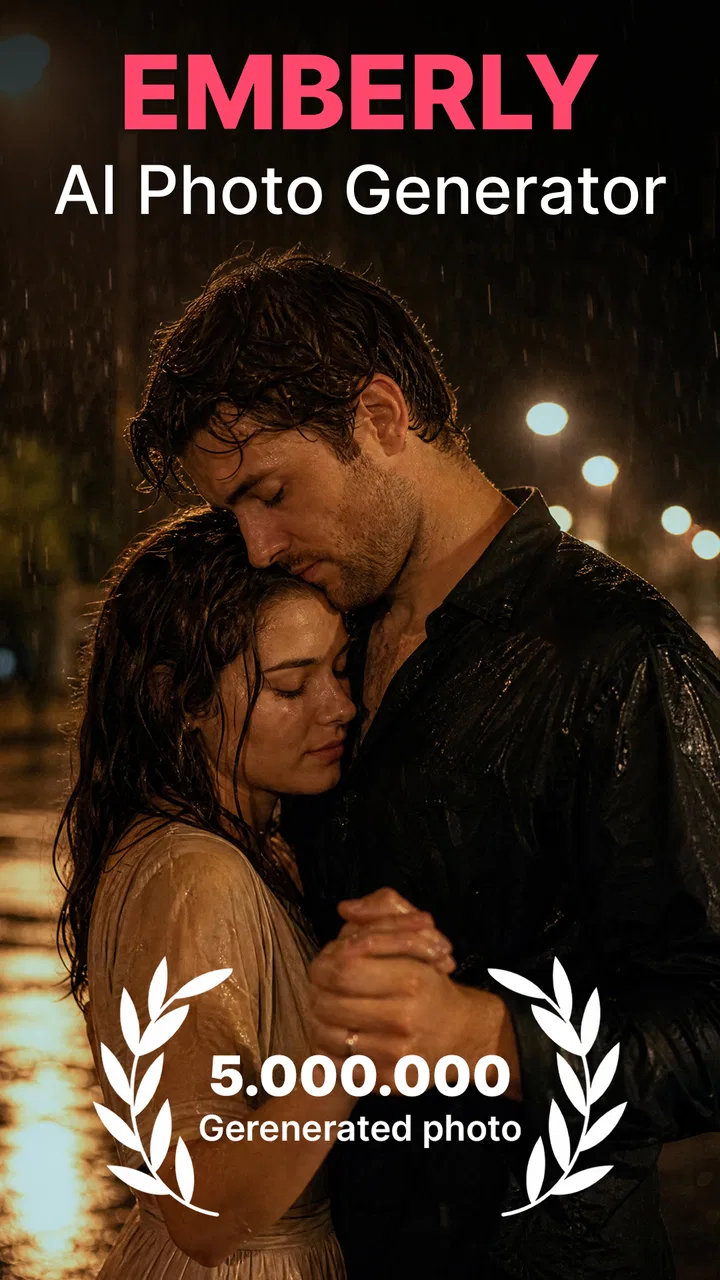
Emberly: AI Photo Generator
- 4.7
- Rating
- 1.00M
- Installs
- Free
- Price

 Analysis by App-foxy
Emberly is the kind of photography app I open when an ordinary couple photo needs a more imaginative direction. Rather than behaving like a conventional camera editor, it focuses on AI-created romantic images, wedding-inspired scenes, anime-style interpretations, and other love-themed results. That makes it appealing for playful posts, private keepsakes, invitations, or a quick visual experiment when I do not want to learn a complicated editing program.
My first impression is that its appeal depends less on traditional photography skill and more on choosing suitable source images and having patience with the generation process. The app is free to install, but optional purchases range from $10.99 to $39.99 per item, so I would approach it as a tool to try carefully rather than something to use without thinking about costs. It is developed by ATQ - AI Lab and belongs to the photography category, although the experience feels closer to a specialized creative generator than a general-purpose photo editor.
How the AI couple-photo experience works in everyday use
When I use a couple-photo generator, I get better results by deciding what the image is for before choosing a picture: a lighthearted post can tolerate a little visual oddness, while a keepsake needs closer inspection. I also like to keep the original separate from any edited copy, so experimenting never puts the source at risk. That preparation makes the next choices—from selecting a style to judging the finished image—more deliberate.
You May Also Like

 Blood Strike: 2.5 Anniversary
Blood Strike’s Loadouts Turn Every Drop Into a Tactical Gamble
A close look at Blood Strike’s custom loadouts: how fast access to signature weapons reshapes its battle royale rhythm, rewards preparation, and narrows the gap between fights.

 Pandora - Music & Podcasts
Pandora’s Music Is Easy to Start, but Harder to Recover
Pandora’s strength is its low-effort path from a seed to a station. Its weak spot is how much confidence it asks you to place in connection, setup, and quiet recovery.

 8 Ball Pool
 Is Built on Rivalries, Rematches, and Routine
A close look at the rivalries, rematches, shared routines, and unanswered safety questions that turn a quick pool match into a persistent mobile community.

 Samsung Music
’s Quiet Strength Is Playing What You Already Own
Its reach comes less from spectacle than from dependable access to a personal library. That simplicity is both the app’s strongest retention engine and its ceiling.

 AccuWeather: Weather Radar
AccuWeather Review: A Quick, Clear Forecast for Everyday Decisions
For everyday plans, the best forecast is the one you can understand quickly. AccuWeather makes rain timing, radar, and local conditions easy to act on, with a few trade-offs.

 Hill Climb Racing
Why Hill Climb Racing Still Turns Crashes Into One More Run
A tiny car, a bumpy hill and one more upgrade: Hill Climb Racing keeps resurfacing because its simple chaos makes every near-miss feel personal.
More From Our News Desk
View All News


The best results begin before the upload
One practical lesson I took from using this type of generator is that the starting pictures matter more than many people expect. A clear image with visible faces, reasonable lighting, and a natural pose gives the system a much better foundation than a dark group shot or a heavily filtered selfie. For a couple portrait, I would prepare two or three alternatives instead of repeatedly forcing one weak image through the same idea.
This is especially important with romantic and wedding themes. Those styles often depend on recognizable facial details, balanced positioning, and enough room around the people for the generated setting to look believable. A tightly cropped photo may work for an anime transformation, but it can feel restrictive when the intended result includes formal clothing, flowers, or a wider celebration scene.
I also found it useful to separate the creative goal from the technical goal. If I want a funny anniversary image, small imperfections may be part of the charm. If I want something to print or share as a serious engagement-style portrait, I become much more selective about eyes, hands, hair edges, and clothing. AI imagery can look attractive at a glance while still showing strange details when viewed closely.
Connectivity changes the rhythm
The most important practical consideration is the network connection. An AI photo generator normally needs to send an image or request to a remote processing system, and that changes how I plan to use it. I would not begin a generation while standing in a place with an unstable signal and expecting an instant result. Even when the interface appears ready, the creative step can depend on communication beyond the phone itself.
That makes Emberly more suitable for a calm moment at home, in a café with dependable internet, or somewhere I can wait without needing to move on immediately. It is less convenient for a rushed train journey, a crowded event, or a location where mobile data keeps switching between weak connections. The app is most enjoyable when I treat generation as a short creative session instead of a camera effect that must appear immediately after tapping a button.
A useful habit is to choose the source images and decide on the desired style before starting the request. I avoid spending connection time browsing my entire gallery, changing direction repeatedly, and sending several uncertain attempts. Preparing first makes the online portion feel more deliberate and can reduce frustration when a request takes longer than expected.
Romantic, wedding, and anime styles serve different people
The romantic side of the app is aimed at users who want a polished expression of affection without arranging a photo shoot. A couple could use it to create a playful anniversary card, a profile image, or a private keepsake from an otherwise ordinary day. The wedding-oriented approach is more useful when someone wants to imagine a formal scene, test a visual mood, or create a personal concept before deciding on real photography.
The anime direction changes the audience completely. It is less about realism and more about turning a relationship into a stylized illustration. That can be a better choice for users who do not want facial accuracy to be the main point. It also gives the app a stronger reason to exist beside standard portrait editors, because a typical filter app may adjust color and texture without reimagining the couple as characters.
Still, I would not confuse a generated wedding image with a replacement for professional photography. It can help with inspiration and playful sharing, but it cannot capture the actual atmosphere, people, or spontaneous moments of a real ceremony. For an invitation or announcement, I would inspect the result carefully and consider whether an authentic photograph communicates the occasion more honestly.
Mobile use is convenient, but the small screen hides flaws
Using the app on a phone makes the process approachable. I can select an image during a normal conversation, create a concept without opening desktop software, and review the result while away from a computer. That immediacy suits casual couples who want to make something together rather than hand a project to a professional editor.
The trade-off is that a phone display can make an imperfect result look better than it really is. At thumbnail size, a romantic background and attractive colors may distract me from an awkward hand or an inconsistent facial feature. Before sharing, I would enlarge the image and inspect the face, fingers, jewelry, hairline, and the boundary between the people and the generated background.
This is one of the less obvious workflow improvements: I would use the phone for selection and first impressions, but make the final decision only after viewing the image at a larger size if possible. That extra check is worthwhile for wedding-themed results, where small visual errors can become obvious in a printed card or a full-screen social post.
What happens when a request fails
Connectivity problems are not the only possible source of friction. A request can also disappoint because the source photo does not give the generator enough useful information. If a result looks distorted, I would not immediately assume that the app is unusable. I would first try a brighter, simpler image with the couple facing the camera and fewer objects crossing their faces.
If the network drops during the process, I would avoid repeatedly tapping the generation control in quick succession. That can make it difficult to tell whether the first request is still processing or whether a second attempt has begun. My preferred recovery routine is simple: wait briefly, check whether the result or status changes, then reopen the task or restart it once the connection is stable. I would also keep the original photos untouched so that a failed attempt never becomes the only copy.
Another sensible recovery step is to change one variable at a time. If I replace the photo, switch the theme, and alter the intended mood all at once, I learn nothing from the next result. Trying a clearer source image while keeping the same concept tells me whether the problem came from the picture. Changing only the style afterward helps identify whether a particular visual direction is less forgiving.
Why it is not a full replacement for established editors
Compared with a standard photo editor, Emberly offers a narrower but more distinctive experience. Conventional editors are better when I need precise cropping, exposure control, blemish correction, text placement, or exact color matching. They let me decide where every adjustment goes. An AI generator is better when I want the app to invent a scene or transform the overall mood with less manual work.
Compared with a general AI image tool, its romantic focus is also a strength and a limitation. The focused themes can make the starting point easier for couples who do not know how to write elaborate prompts or construct a visual concept. On the other hand, someone seeking landscapes, product mockups, professional headshots, or unrelated creative subjects may find the experience too specialized.
I would therefore use it alongside, not instead of, my usual editing tools. Emberly can create the imaginative base image; a conventional editor can then handle a crop, a caption, or a final adjustment. That two-step workflow is more realistic than expecting one app to produce a perfect, publication-ready result for every purpose.
Privacy-minded habits are part of good use
Because the experience involves personal couple photos, I would be selective about what I upload. I would avoid using images that reveal unnecessary private details, such as documents, visible addresses, children who have not agreed to appear, or other people in the background. A simple crop can make the creative result cleaner while also limiting the amount of unrelated information in the picture.
I would also ask the other person before turning a shared photo into an anime or wedding-style image, especially if the result will be posted publicly. A playful transformation can feel harmless to one person and uncomfortable to another. That is not a technical issue, but it is an important part of using a relationship-focused image tool responsibly.
For data-conscious use, I prefer preparing a duplicate or cropped version rather than sending the highest-detail original when that extra detail is not needed for the intended result. I would read the app’s current privacy and account information before uploading sensitive images, because those terms can matter more than the visual effect itself. The safest workflow is to create only what I need, keep the original separately, and remove unused copies from temporary folders afterward.
Cost awareness matters more than the free label suggests
The free installation lowers the barrier to trying the app, but the presence of optional in-app purchases changes how I evaluate repeated use. I would not assume that every creative attempt is included simply because the app itself costs nothing to install. Before confirming a purchase, I would check exactly what the item provides and whether it matches the number of images or experiments I expect to make.
This is particularly relevant when a weak source photo leads to several retries. I would improve the picture first instead of treating paid generations as a substitute for preparation. Couples who only want one amusing result may find the free starting point sufficient for exploration, while frequent users should set a personal spending limit before making the app part of a regular posting routine.
Who should try it, and who should skip it?
I think Emberly is a good match for couples who enjoy visual experimentation, users preparing a romantic social post, and anyone curious about seeing a relationship photo in wedding or anime form. It also suits people who prefer guided creative themes over learning layers, masks, brushes, and detailed editing controls. The app’s Everyone age rating makes its general audience broad, though younger users should still involve a parent or guardian when sharing personal images or making purchases.
I would skip it if my main goal were exact photographic realism, detailed retouching, or professional print preparation. I would also look elsewhere if I needed a broad creative suite rather than a relationship-centered generator. A traditional editor is the better choice for controlled corrections, while a wider image-creation platform may be more useful for subjects unrelated to couples, romance, weddings, or anime.
My practical verdict on the connected experience
After weighing the creative appeal against the online workflow, I see Emberly as a focused inspiration tool rather than an everyday camera replacement. Its strongest moments come when I have a good couple photo, a clear idea, and enough time for the generation process to complete without a shaky connection. The convenience of creating a themed image on a phone is real, but it depends on accepting that the app is not simply applying a quick local filter.
The best results also come from restraint: use a well-lit source, change one thing at a time, inspect faces and hands at a larger size, and avoid uploading more personal information than the image needs. Those habits improve both the visual outcome and the overall experience. They also make the optional purchase model easier to manage because I am less likely to spend money on avoidable retries.
Emberly currently sits at a 4.4 average from around 1.1 thousand ratings, with over 100 thousand installs, which suggests that its focused concept has attracted meaningful interest. Its current version is 1.0.4, and it runs on Android 7.0 or later. I would treat those details as useful compatibility checks, especially before planning a shared editing session on an older phone.
My final recommendation is conditional but positive: try it if you want a quick, romantic visual experiment and are comfortable with a connection-dependent creative process. I would not choose it for exact editing or irreplaceable event photography, but for an anniversary idea, an anime-style couple portrait, or a wedding concept made from an everyday snapshot, it offers a more distinctive experience than a normal filter app. Its real strength is turning a simple relationship photo into a conversation starter, provided I give the source image, the network connection, and the final inspection the attention they deserve.
FAQs for Emberly: AI Photo Generator
01What is Emberly: AI Photo Generator?
Emberly: AI Photo Generator is an innovative app that utilizes artificial intelligence to transform your photos into stunning artwork. Whether you're looking to enhance a simple selfie or create a digital masterpiece, Emberly offers a range of tools and effects to bring your creative vision to life. It's available for both Android and iOS devices.
02How does Emberly ensure the privacy of my photos?
Emberly prioritizes user privacy by implementing robust encryption protocols and secure server management. Your photos are processed using AI algorithms on your device, ensuring they are not stored or accessed without your permission. Always check the app’s privacy policy for detailed information on data handling practices.
03What features does Emberly offer for photo editing?
Emberly provides an array of features including AI-driven filters, customizable effects, and advanced editing tools. Users can adjust brightness, contrast, and saturation, as well as apply artistic styles to transform their photos into unique digital artworks. The app continuously updates with new features and enhancements.
04Is Emberly user-friendly for beginners?
Yes, Emberly is designed with an intuitive interface that caters to users of all skill levels. Beginners will find it easy to navigate through the app’s features and tools, while more experienced users can delve into advanced options for more detailed editing. Tutorials and guides are also available to assist new users.
05Are there in-app purchases or subscription fees for Emberly?
Emberly offers a free version with basic features, but also provides premium options through in-app purchases or a subscription model. These premium features include additional filters, effects, and editing tools. Subscriptions are typically offered on a monthly or annual basis, providing users with enhanced capabilities.
Pros
- User-friendly interface
- easy for beginners.
- Generates high-quality images quickly.
- Offers diverse style options for creativity.
- Regular updates with new features.
- Supports multiple file formats for downloads.
Cons
- Requires internet connection for use.
- Limited free version features.
- Occasional ads in the free version.
- High-quality images may take longer to render.
- Premium subscription can be pricey.

Emberly: AI Photo Generator
Gallery